Electron POS - Release Note v107.0.1
-
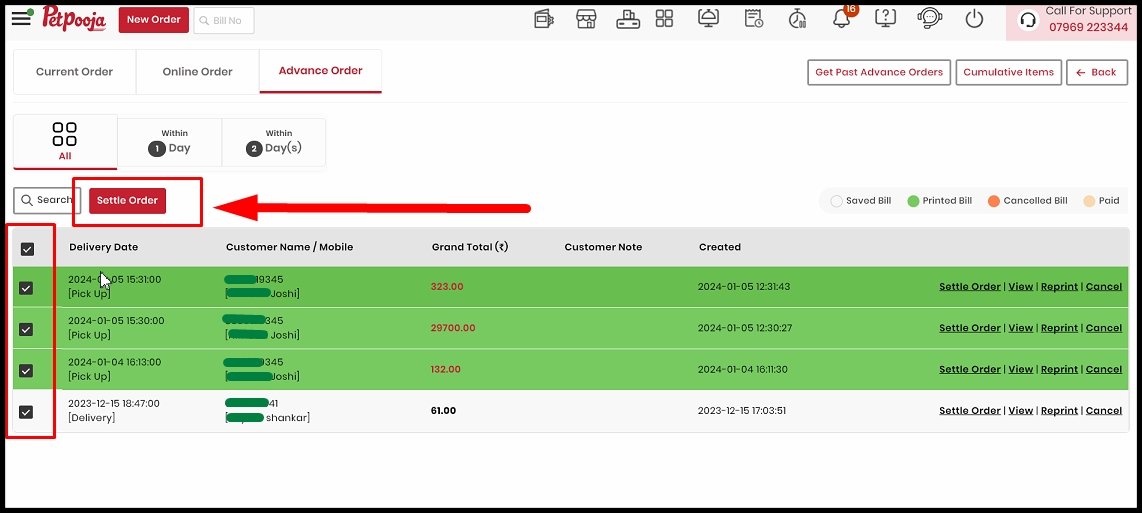
Settle multiple advance orders :
-
Now that you have the option to settle several advance orders at once, you may use the checkbox to either pick all advance orders or just the ones that are necessary and settle them all at once.
|
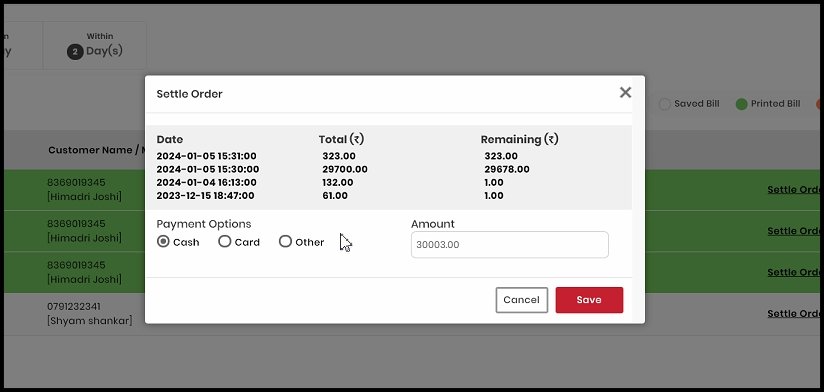
- After selecting the orders, a settlement pop-up will open, asking you for the payment type :
|
-
Franchisee POS lock feature :
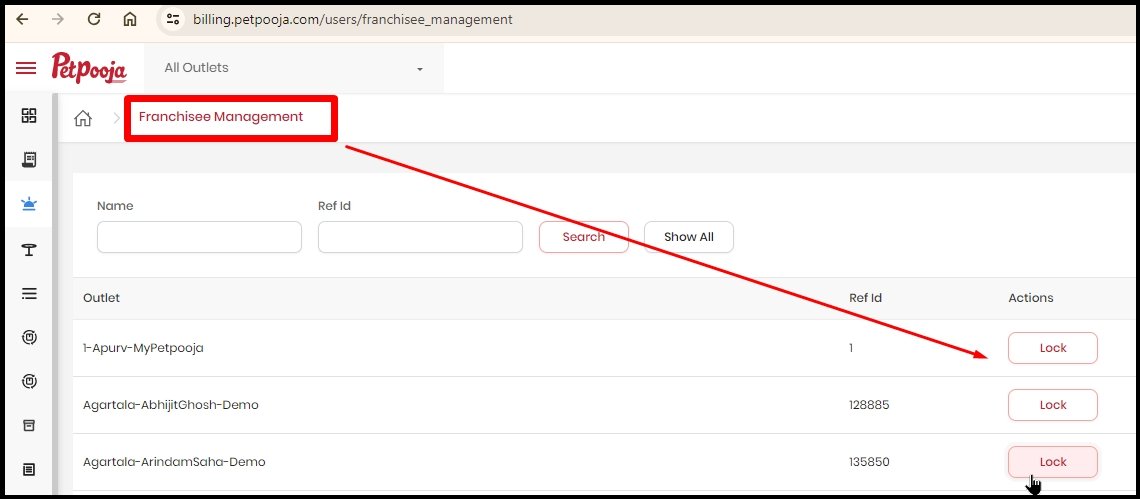
- We have just added the ability to lock the franchisee's POS system in response to requests from various chain stores.
-
You can manage this functionality from : Franchisee management
|
-
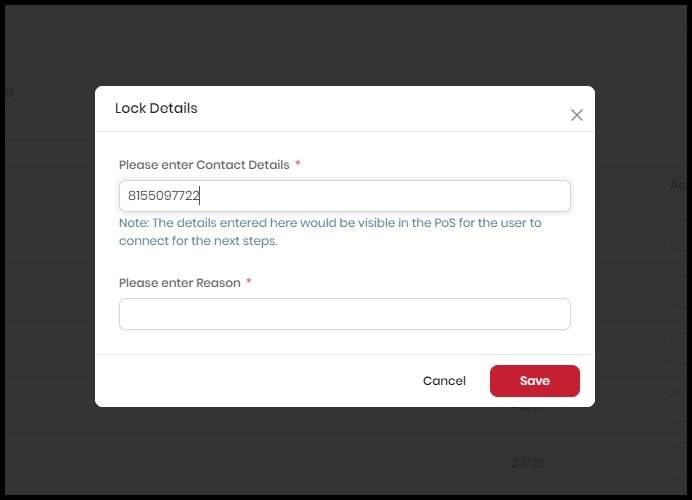
To lock the POS, you will need to provide the reason and the OTP that was generated at the registered email address :
|
-
We will share the table number and the number of individuals in the bill data for Reelo integrated outlets per Reelo's request.
|
-
Search settings feature :
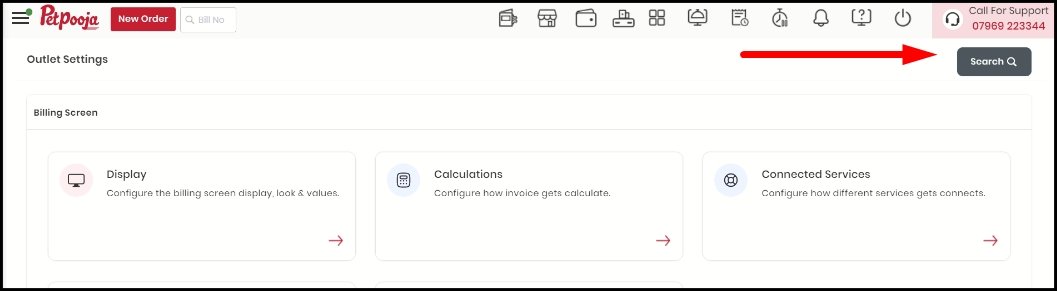
- We have developed a new function that allows you to use the 'Search' button in your POS to instantly search the configuration on the Settings page.
|
- Improved scroller for online orders :
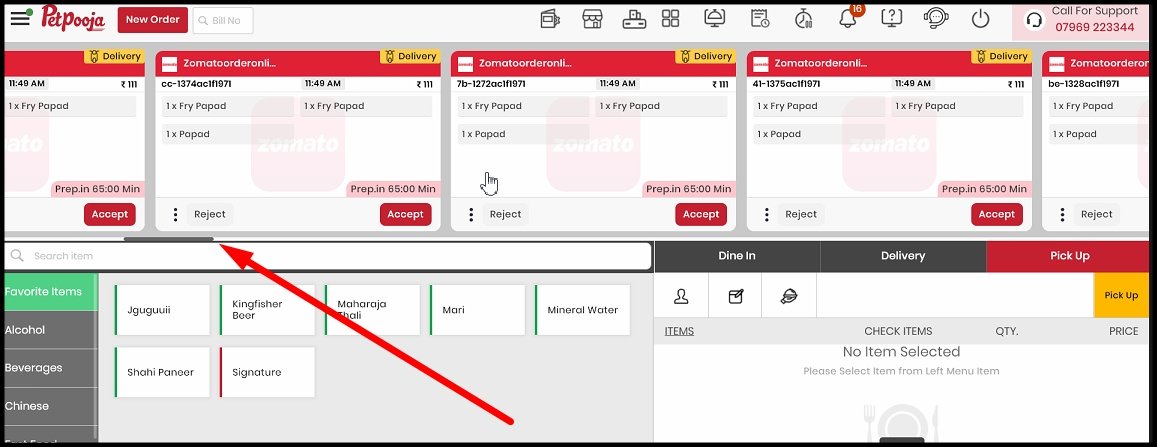
- We have enhanced the scroller's user interface (UI) in order to improve the online orders view.
|
- Rights-based advance order modification :
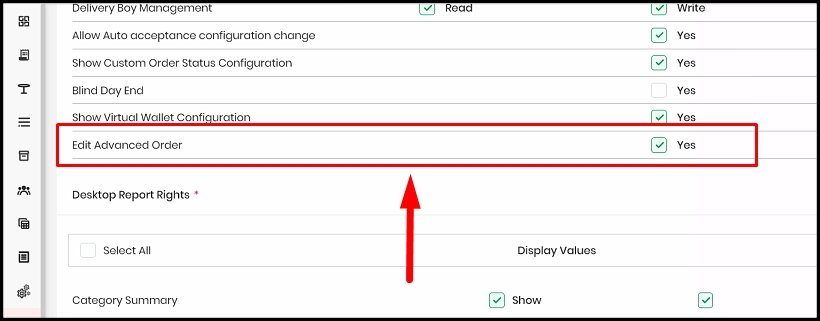
- We have implemented a new user permission, to guarantee that only pre-approved staff can modify the advance orders : Edit Advance Order
-
Please note that advance order modification will only work if you have basic order modification rights.
- Path : Owners dashboard → User management → Biller app
|
-
Add/Schedule category timings :
- Now the user can add/update category schedule timings using a sheet.
|
-
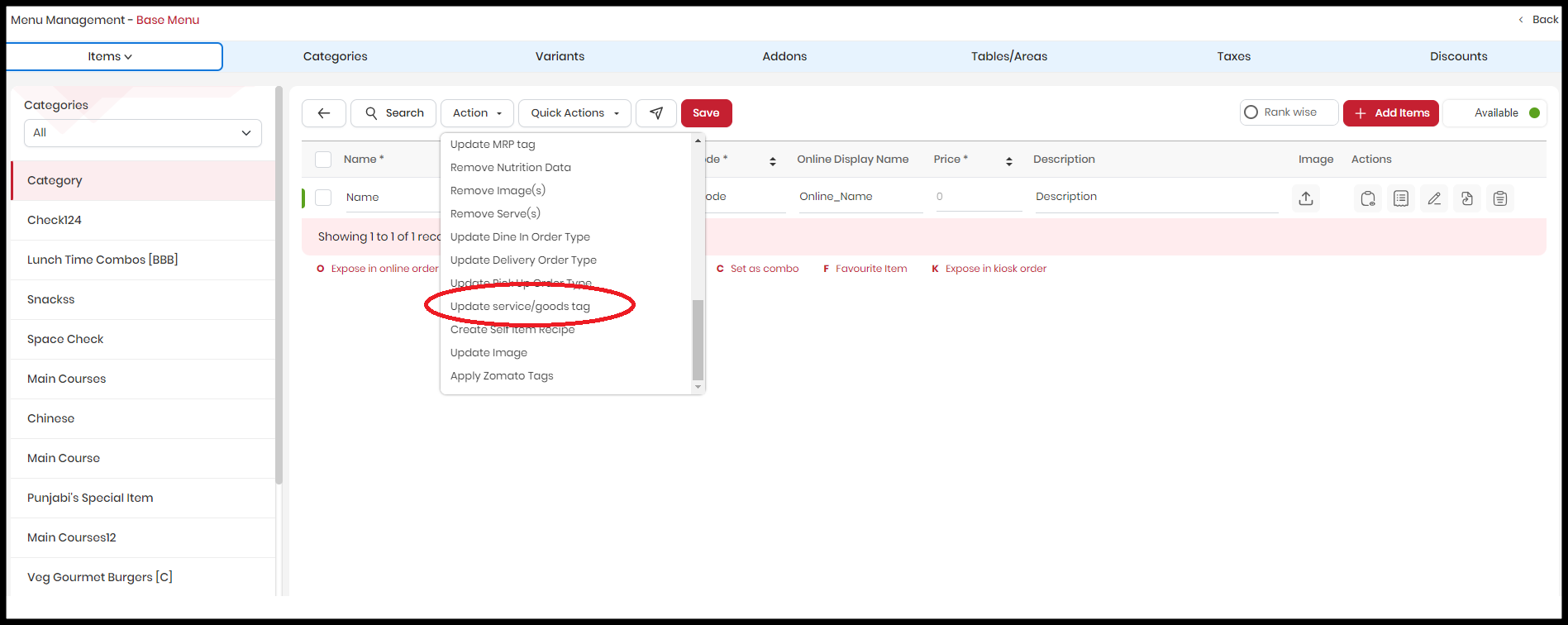
Quick-update menu item's tag :
- Update the good/service tag for multiple items using the option available under the "Action" dropdown.
|
-
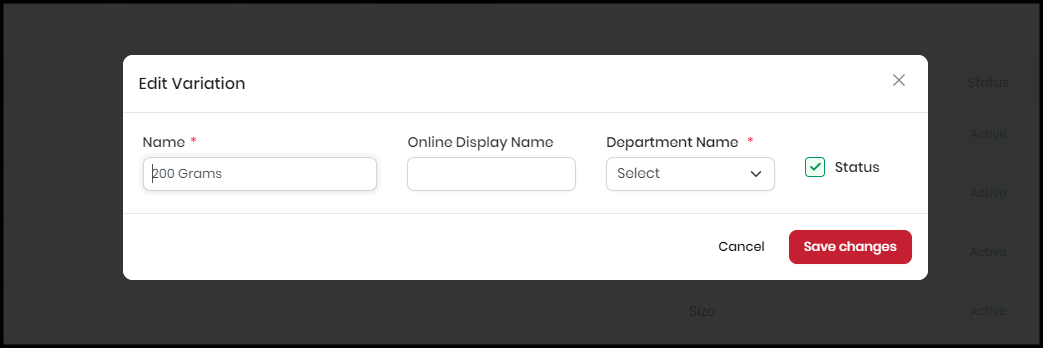
Introducing Variations online display name :
- Variation online display name has been implemented. Variant names can be stored differently on offline and online platforms.
|
-
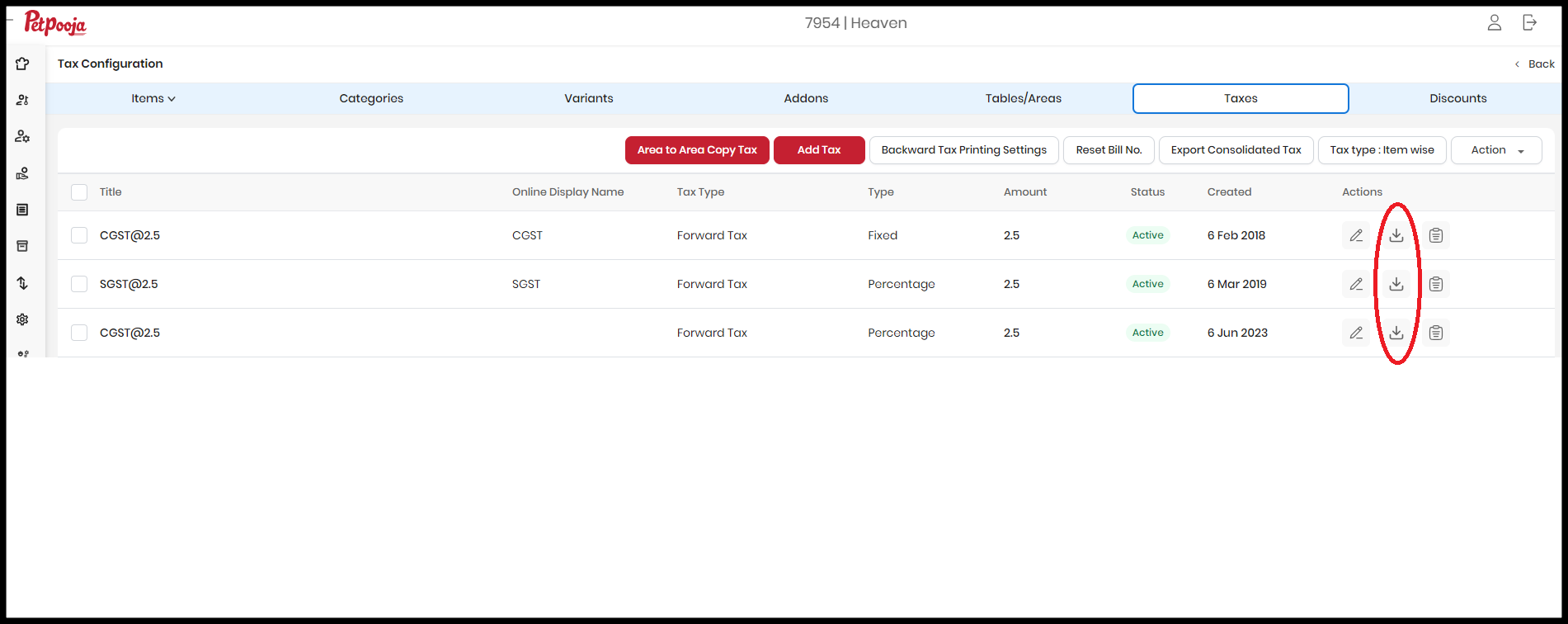
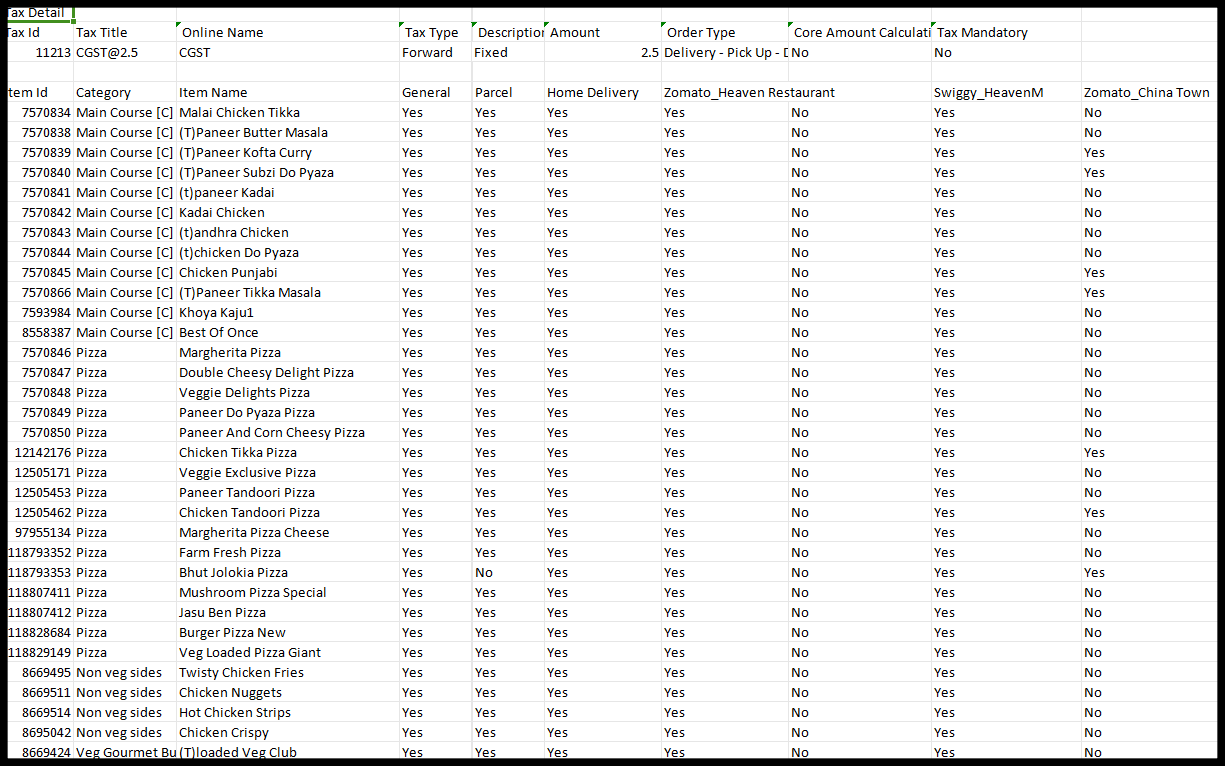
Manage Item's taxes via sheet :
- Users can now apply/remove item-level taxes using the sheet.
|
-
Expose/remove addon items - Captain app :
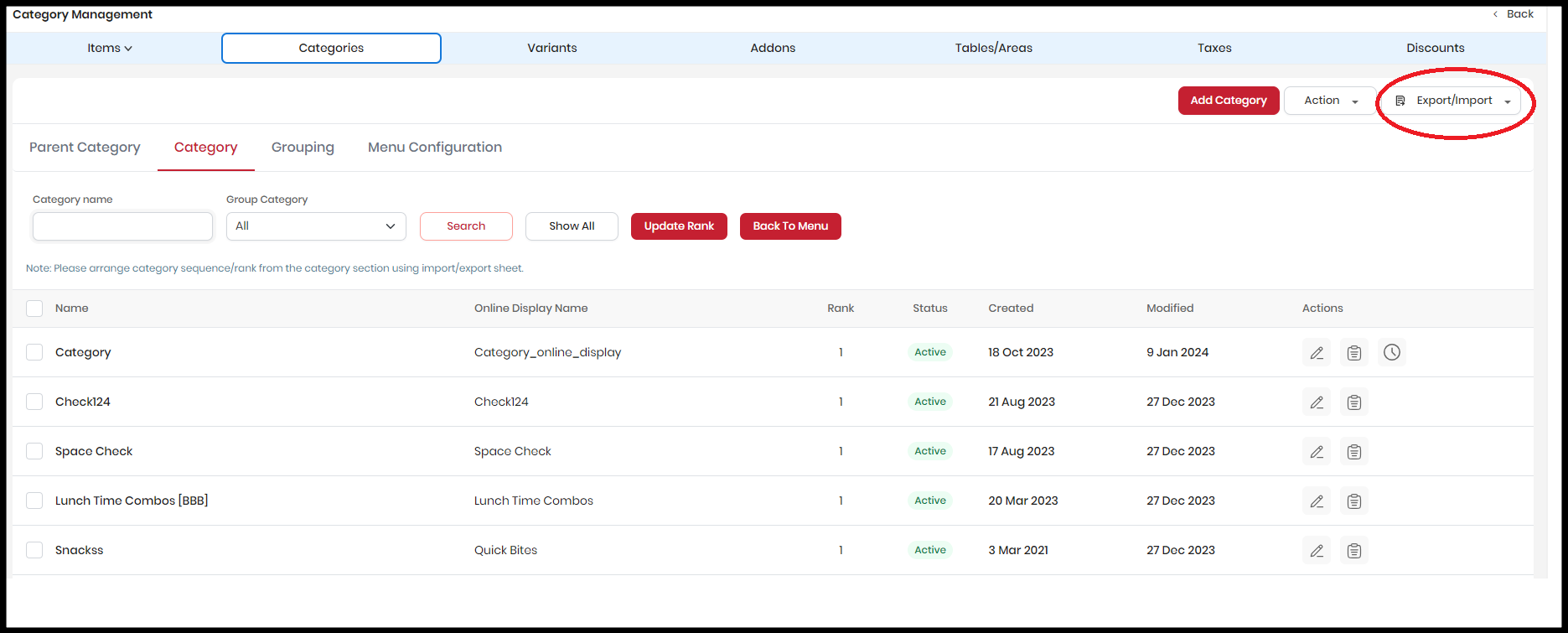
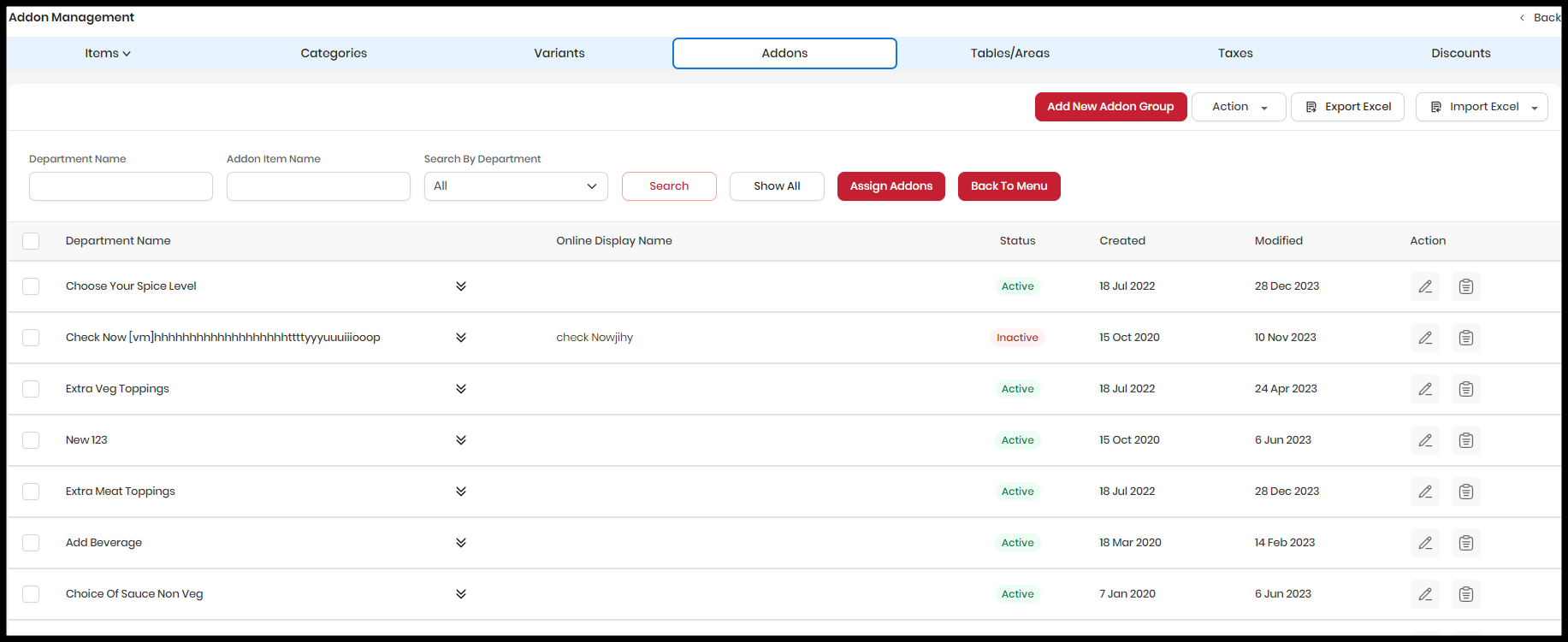
- Expose or remove addon items from the captain using the import/export sheet provided on the addon master grid.
-
Path : Owners dashboard → Menu management → Addon → Export/Import
|
-
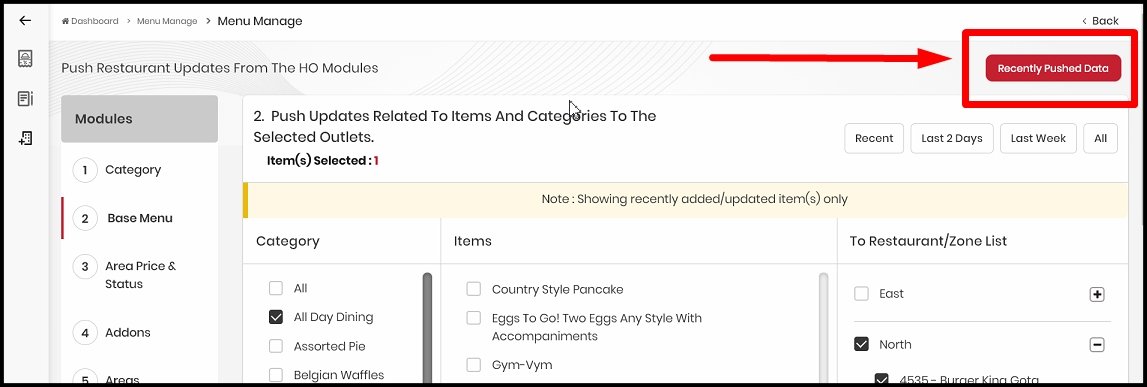
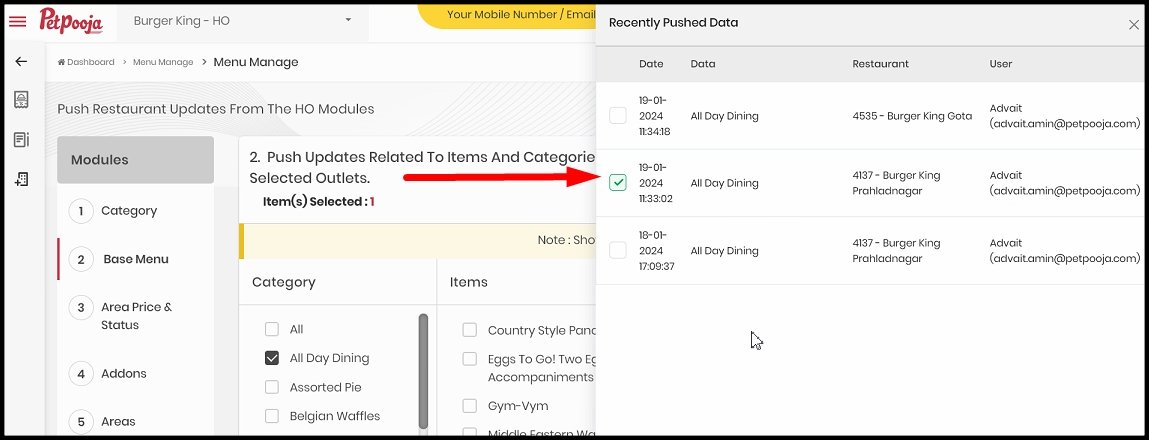
To make menu changes easier from HO, we have introduced an option called 'Recently published data' on the HO menu management page.
|
-
Let's say if you have pushed the 10 base menu items to 4 outlets and now you want to push the same items to 5 more outlets, you may publish the prior selection by using the 'Recently pushed data' option.
|
-
Restricting item level configuration - HO :
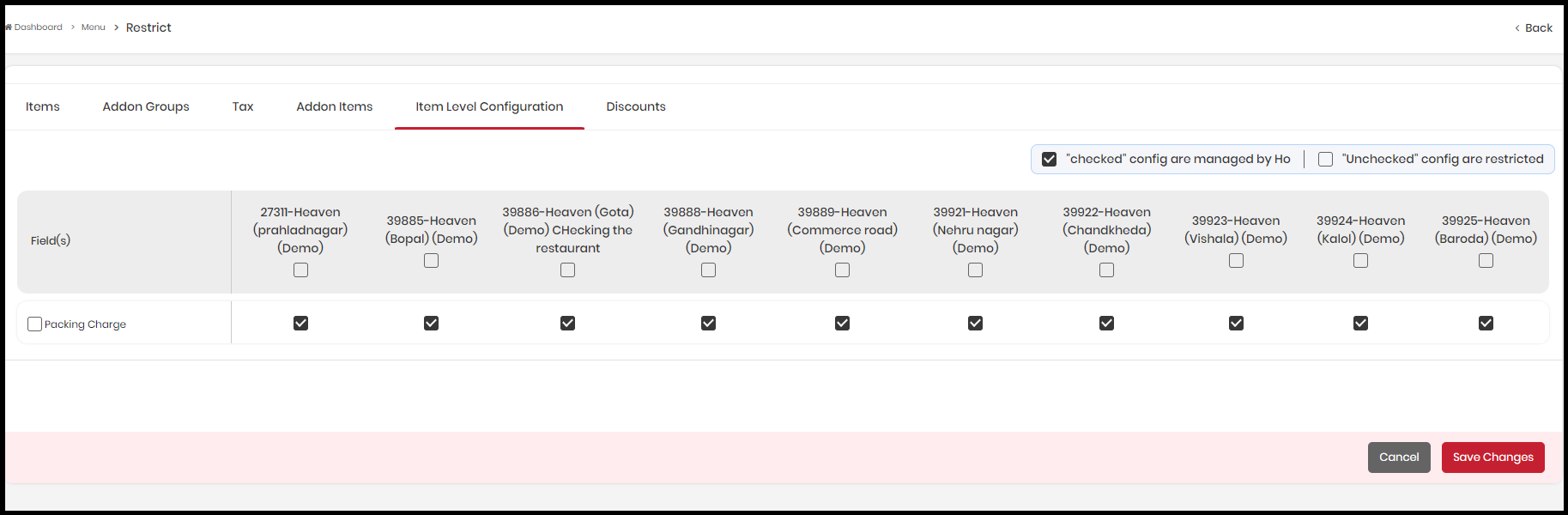
- A branch mapped under HO can now manage different packaging charges at item level by restricting the configuration from the HO restriction module.
- Path : Login to HO menu → HO Management → Restrict Menu → Item level configuration
|
-
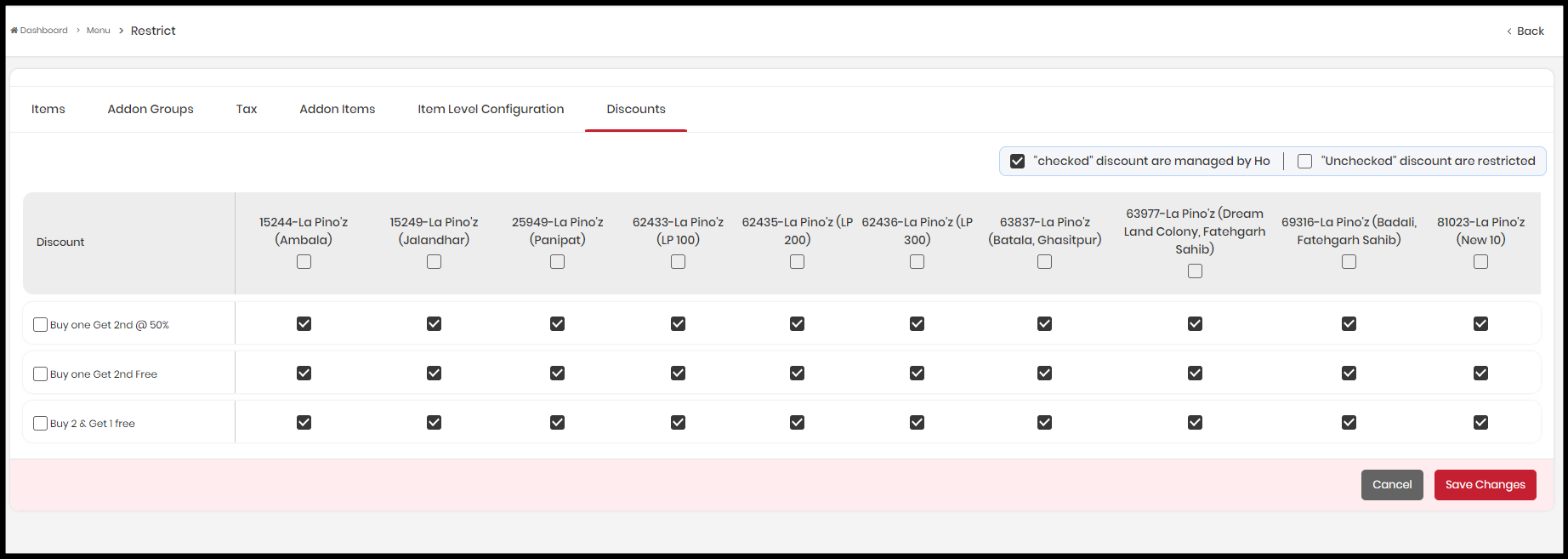
Introduction of discount restriction :
- We have introduced the discount section under the HO restriction module. HO menu users can now restrict discounts created at the HO level to specific branches.
- Path : Login to HO menu → HO Management → Restrict Menu → Discounts
|
-
We have just launched a feature called KOT sequencing to determine the order of the KOTs in the KDS system. This allows you to choose the sequence in which the new KOTs appear on the KOT dashboard.
- You'll have your preference on the KDS 'Settings' page : ASC - Ascending (this means the newest KOTs will appear at the bottom of the screen) and DSC - Descending (this means the oldest KOTs will appear at the bottom of the screen).
- Furthermore, if you want to stick with the present course and not pick a sequencing process, you can keep the selection set to 'Default'.
|
-
We have made a few minor UI adjustments to improve the KDS's appearance and accessibility.
|
Thanks for reading.
To learn more about any features, write back at support@petpooja.com
Cheers,
Team Petpooja. | |
|
|
Related Articles
Release Note v112.0.1
Release Note v112.0.1 This document will update you on some of the most amazing updates in Electron POS v112.0.1 POS updates 1. Introduction : Zomato Walker order Zomato is excited to announce a new feature designed to enhance your ordering ...
Release Notes v 121.0.1
PoS enhancements 1. New: Standard UPI Payment Type with Managed UPI Partners. We’re introducing a clean, standardized way to capture UPI payments across all restaurants—solving long-standing reporting inconsistencies and preparing the system for ...
Electron POS - Release Note v109.0.1
Electron POS - Release Note v109.0.1 This document will update you on some of the most amazing updates in Electron POS v109.0.1 POS updates 1. Assignee wise summary : We are excited to introduce a new report in the POS reports section: the ...
Electron POS - Release Note v108.0.9
Electron POS - Release Note v108.0.9 This document will update you on some of the most amazing updates in Electron POS v108.0.9 POS updates 1. Advance order changes : You can now seamlessly settle advance orders under the due payment type. While ...
Electron POS - Release Note v107.0.5
Release Note v107.0.5 Hey there, The below draft will help you update on some of the most amazing new updates in the Electron POS. POS updates 1. Removing KOT option : We have removed the option to create 'KOT' and 'KOT & print' while accepting ...